Backseat Offroad Tools & Checklists
Planning utilities for crawler sessions — no shady executors required.
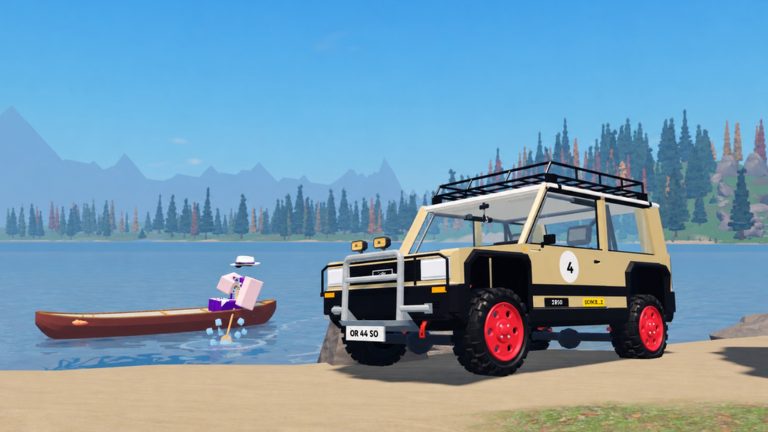
The Tools Hub collects practical planning aids for Backseat Offroad. These are not Lua injectors and not Roblox Studio plugins. They are player routines, checklists, and decision helpers that keep long trips from lakeside forest to snowy summit from falling apart after a preventable flip.
Start with the Trail Checklist before every serious run. Pair it with role advice from the Tier List Hub and teamwork from the Players Hub.
What counts as a “tool” on this wiki
| Tool type | Example | Why it helps |
|---|---|---|
| Pre-trail checklist | Fuel mindset, winch ready, lockers understood | Prevents garage amnesia |
| Role picker | Summit vs river vs cabin night | Matches truck to job |
| Co-op callout card | Short winch phrases | Cleaner recovers |
| Patch audit list | Re-test winch after updates | Catches silent physics swings |
| Route notebook | Personal cabin landmarks | Turns ~100 hidden places into progress |
We intentionally keep Scripts in a separate category with hard safety warnings. If a site markets an “ESP tool” as required gear, it does not belong here.
Featured tool pages
- Trail Checklist — fuel mindset, winch ready, low range, friends, and go/no-go calls
More specialized planners (fuel route sheets, cabin bingo cards, duo role cards) can graduate into child pages as the wiki grows. Until then, use the checklist plus the hubs below.
Recommended toolkit by session type
Solo forest evening
- Trail Checklist
- Getting Started refresh if you are rusty
- Starter Crawler or Narrow Trail Scout role from the Tier List
Duo summit weekend
- Checklist for both drivers
- Climb Builds loadout agreement
- Co-op Winching callouts printed or pinned in chat
Cabin hunting marathon
- Checklist with extra “screenshot storage / landmark notes” line
- Scout-focused truck role
- Useful Links for rejoining the official place quickly after disconnects
Post-patch night
- Updates audit on the Updates Hub
- Short winch drill before any ego climb
- Codes menu peek on Codes Hub in case a promo shipped
Build-your-own simple planners
You do not need fancy apps:
- Notes app route card — list river, timberline, alpine village, summit as gates; tick as you pass.
- Party role card — Lead / Anchor / Scout names for the session.
- Parts card — winch, lockers, low range, lift, snorkel, engine swap, canoe — yes/no before leaving garage.
- Fail budget — agree that three failed crux tries means descend and reset mentally.
These paper-light tools outperform random YouTube “secret settings” tips that change every week.
Tools we will not add
- Executor download mirrors
- Unverified autofarm pastes
- Account generators or Robux exploits
- Map hacks that spoil every hidden place without consent
Honesty about missing cheats lives on the Scripts Hub. Planning discipline lives here.
How tools connect to upgrades
A checklist that always shows “winch not tested” is telling you to prioritize recovery hardware before another cosmetic lift. If snow attempts fail despite perfect prep, revisit engine swap and locker habits on Climb Builds rather than downloading malware marketed as a “climb tool.”
Related pages
- Trail Checklist — primary planner
- Guides Hub — deeper tutorials
- Updates Hub — when to revise your cards
- Useful Links — official destinations
Use tools to slow down at the garage so you can crawl faster on the trail — calmly, legally, and with friends who still have accounts.
Frequently Asked Questions
Quick answers for crawls, winches, and co-op trails.
Are these Roblox Studio tools?
No. They are player checklists and planning aids for running sessions inside Backseat Offroad.
Do you provide script tools or executors here?
No. Scripts are a separate hub with an empty verification table and safety warnings.
What tool should I open first?
The Trail Checklist — run it before any long forest-to-summit attempt.
Can I suggest a new planner page?
Yes. Practical, non-cheat planners that help convoys (role cards, cabin bingo, patch audits) fit this hub.