How to Redeem Backseat Offroad Codes
Generic Roblox-safe redeem flow ready for the first real promo drop.
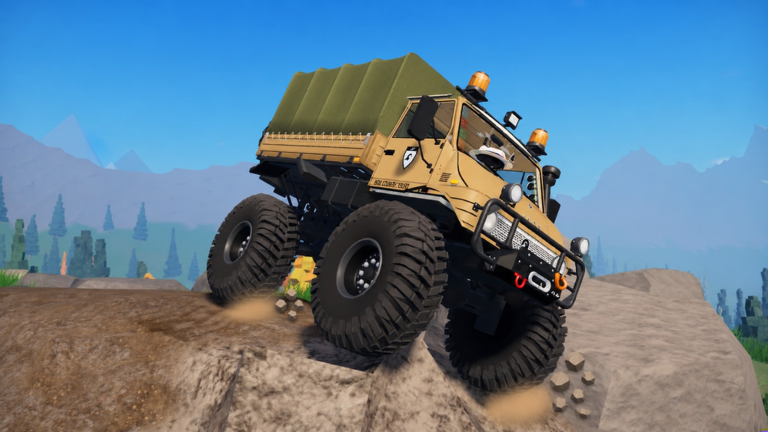
This page teaches a careful redeem workflow for Backseat Offroad so you are ready the moment No crash plez ships a real promo string. As of November 2026, the Codes Hub still shows no confirmed active codes. Practice the habits below anyway — exact spelling, one account, and skepticism toward third-party “generators” matter more than rushing a fake code.
Backseat Offroad is a free Roblox 4x4 crawler released 14 October 2026. Its loop is winching, low-range climbing, and hunting hidden cabins across a forest-to-snow map — not a code-farming tycoon. When codes appear, they will almost certainly be short-lived bonuses layered on top of that loop, not a replacement for garage progression.
Before you redeem anything
- Confirm the code on the Codes Hub or a studio group shout — not a random comment under a video.
- Join the live experience from the official Roblox page.
- Finish any forced tutorial prompts so the HUD and menus are fully unlocked.
- Disable aggressive autocorrect on mobile; codes hate smart quotes and extra spaces.
- Keep inventory or currency UI visible so you can see whether a reward actually landed.
Step-by-step redeem flow (when a Codes UI exists)
Roblox games place redeem entry points in slightly different menus. Use this generic sequence and adapt to whatever button Backseat Offroad exposes later:
- Open the experience on the account that should receive the reward.
- Find Codes / Rewards / Shop — often a gift icon, Twitter bird, or settings gear on the left or top of the HUD.
- Tap the text field and clear any placeholder text.
- Type the code exactly as published. Match uppercase, lowercase, numbers, and hyphens. Do not add spaces before or after.
- Press Redeem / Submit once. Wait for a success toast or error message before tapping again.
- Check rewards in currency counters, inventory, or mail. If nothing appears, rejoin the server once and re-check.
- Record the result — working, expired, or invalid — so you do not spam the same dead string later.
If the game instead uses a chat command such as /code STRING, type it in the Roblox chat box with the same exact spelling rules. Never paste a full script or executor payload into chat thinking it is a “code.”
Exact spelling rules that trip people up
O(letter) versus0(zero) andlversus1are classic traps.- Copy-paste from stylized fonts can insert invisible characters; prefer typing by hand from a plain-text list.
- Codes are usually case-sensitive unless the studio says otherwise.
- One redeem per account is normal. Alt accounts may work for some games and fail for others — never buy accounts to farm codes.
- Expired codes often return a vague “invalid” message. That does not mean you typed wrong; check the hub’s expired section when we add one.
Troubleshooting
| Symptom | Likely cause | What to try |
|---|---|---|
| Invalid / not found | Typo, expired, or fake leak | Retype carefully; verify on Codes Hub |
| Already redeemed | Same account used the code | Stop retrying; rewards will not stack |
| No UI at all | Codes not shipped yet | Keep playing; revisit after Updates |
| Reward missing | Delayed grant or wrong menu | Rejoin, check inventory, restart client |
| Site asks for password | Scam “generator” | Close it; Roblox staff never need your password |
Safety while hunting codes
Legitimate promo codes are short text strings. They are not .exe downloads, browser extensions, or Lua loadstrings. If a site says “enter username to generate Backseat Offroad codes,” leave immediately. For anything involving executors or injected Lua, read the honest status on the Scripts Hub and Executor Setup — those topics are separate from promo codes and carry ban risk.
Also skip Discord DMs that claim they can “drop a code in your inventory” if you click a link. Studio announcements happen in public channels and group shouts, not cold DMs.
What to do when no codes are live
An empty codes table is normal early after launch. Productive alternatives:
- Run the Trail Checklist before a long session so you waste fewer recoveries.
- Practice locker and low-range habits in Getting Started.
- Plan summit attempts with Climb Builds.
- Coordinate friends via Co-op Winching.
- Skim Launch Notes so you know which systems actually shipped on day one.
After a successful redeem
Write down what you received and whether it was account-bound. If the reward is a cosmetic, confirm it equips in the garage. If it is currency or a crate, spend it intentionally instead of impulse-buying the first lift kit you see — compare roles on the Tier List Hub first.
When the next update lands, return here and to the Codes Hub. We will adjust steps if No crash plez ships a non-standard redeem menu.
Related pages
- Codes Hub — live and empty status table
- Updates Hub — patch timing that often pairs with codes
- Useful Links — official game and wiki shortcuts
- Guides Hub — systems that matter more than freebies
Redeem patiently, type precisely, and ignore anyone selling “private codes” for Robux outside official channels.
Frequently Asked Questions
Quick answers for crawls, winches, and co-op trails.
Can I redeem codes right now in Backseat Offroad?
Only if a verified code exists. As of November 2026 none are confirmed — follow this guide when the Codes Hub lists a working string.
Do codes work on mobile and PC the same way?
Usually yes if the in-game Codes UI exists on both. Watch for mobile autocorrect inserting spaces or smart punctuation.
What if the game has no Codes button yet?
Then promo redeem is not available. Keep playing normally and recheck after updates rather than downloading third-party tools.
Are code generators safe?
No. Real Roblox promo codes are published as plain text. Generators that ask for passwords or downloads are scams.